Cultivate Spotlight
Choose which recipes readers see when they open search. As they type, Cultivate Spotlight shows matching recipes in a layout that fits your site.
What your readers see
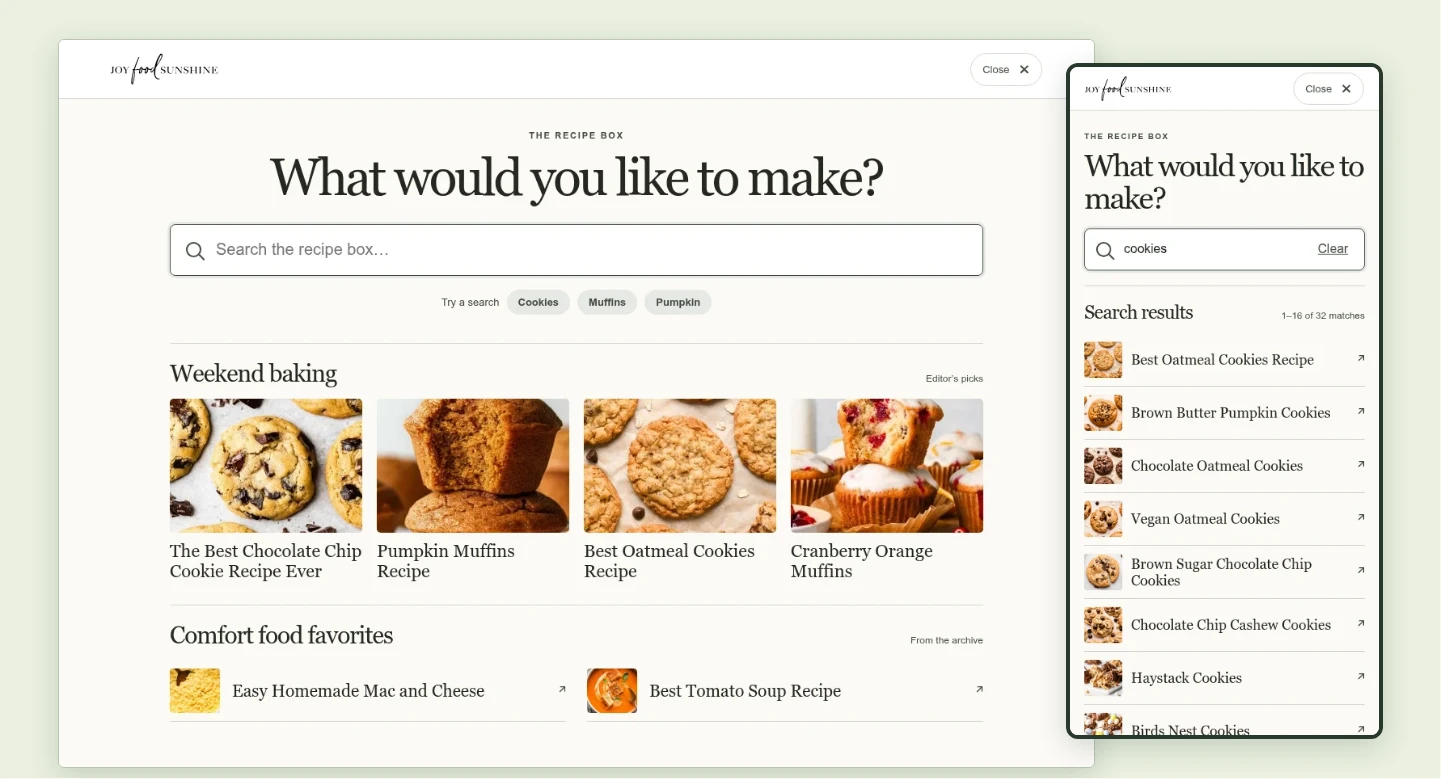
A reader taps your search icon. A full-screen window opens with the cursor ready and your featured recipes below. They can choose a recipe, type a search, or tap a suggested search such as “cookies.” Matching recipes appear with photos and titles. Readers can browse more results using your site’s archive pagination, clear the search to see your collections again, or close it to return to the page they were reading.
Your WordPress dashboard
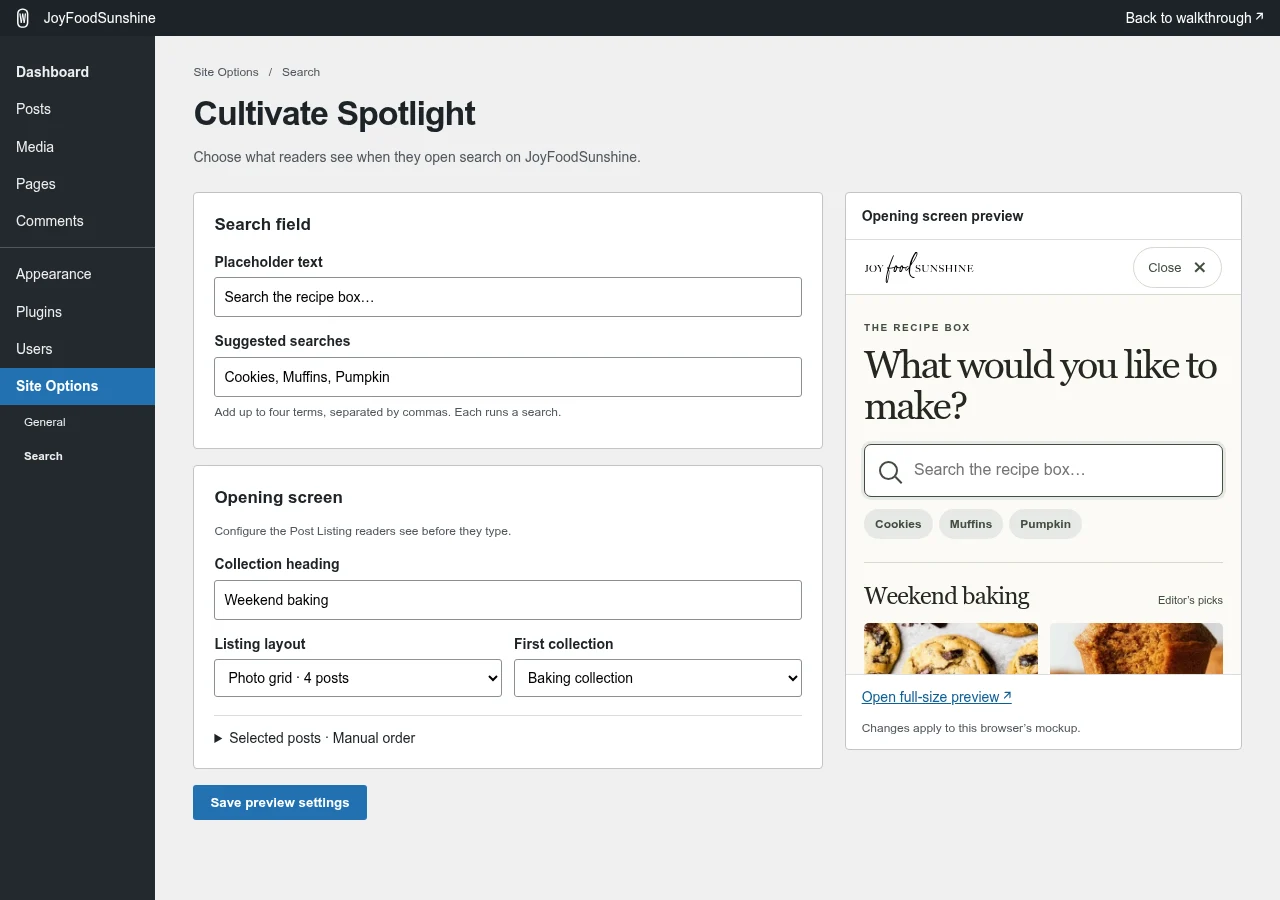
Choose what to feature
In Settings → Cultivate Spotlight, write your search prompt, add shortcuts like “Weeknight dinners,” and arrange your collections. Handpick recipes, show your newest posts, or feature the most-commented recipes in a category.
For holiday baking, you can rename a collection and switch its photo grid to a list.
One search, three recipe layouts
Explore these sample collections on desktop or mobile.
JoyFoodSunshine
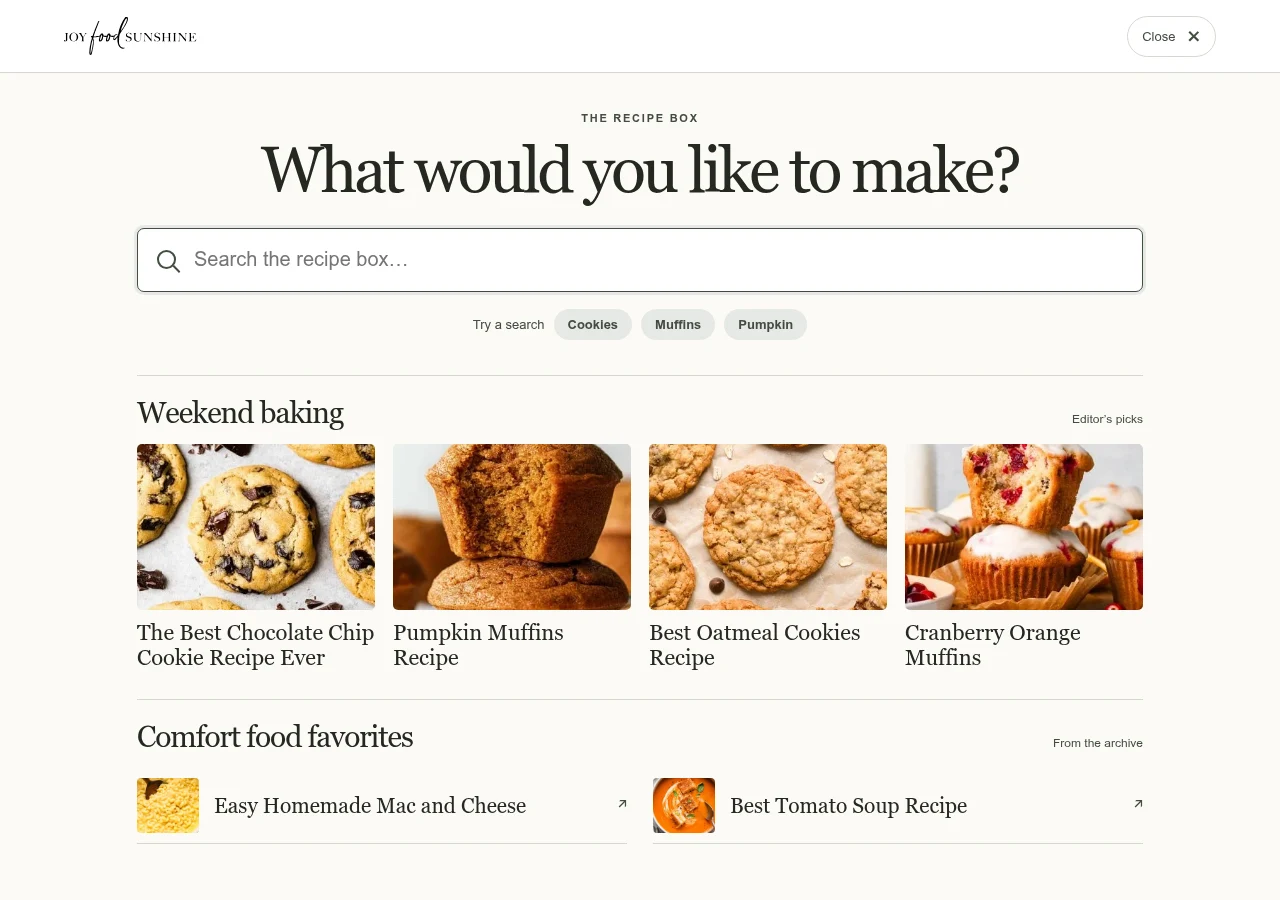
A recipe box for weekend baking
Four weekend baking picks share the opening screen with a short list of comfort-food favorites. A reader can jump straight to a favorite cookie from its photo. On a phone, the baking grid fits into two columns.
Spend With Pennies
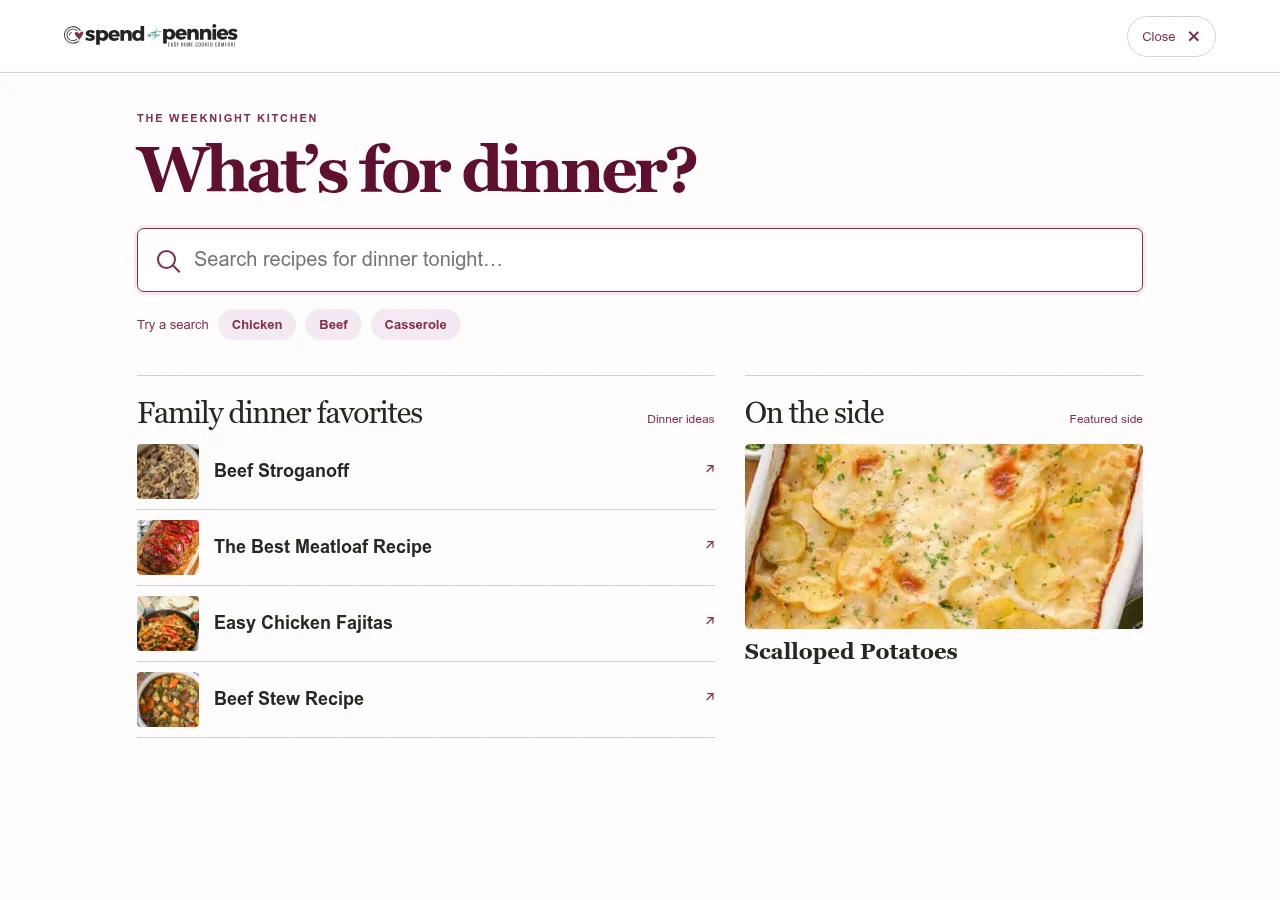
Dinner first, sides alongside
Pair a short list of main dishes with one featured side. On desktop the two collections sit side by side. On a phone the dinner ideas come first.
Downshiftology
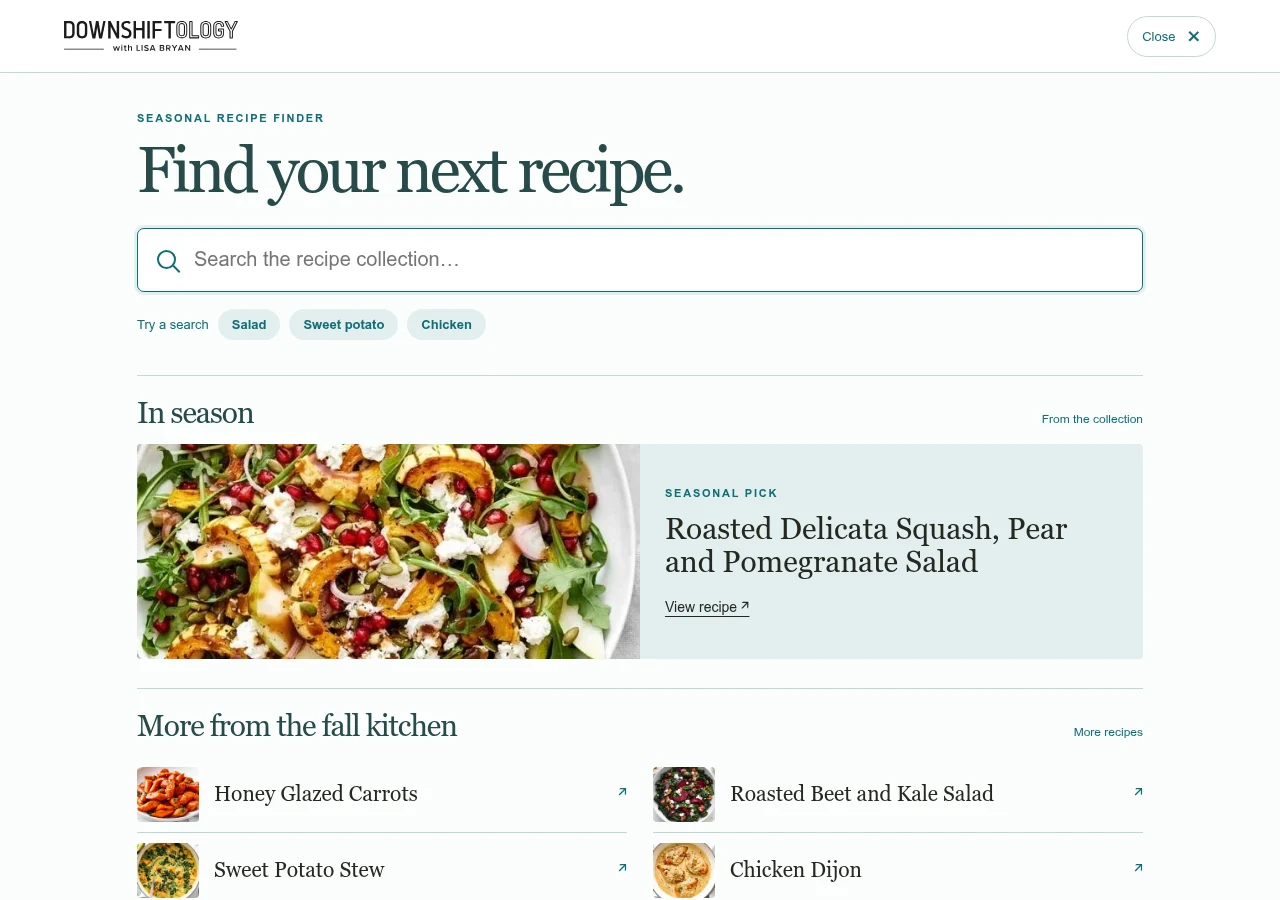
One seasonal recipe in focus
Give a seasonal salad the largest photo and a direct recipe link. Readers who want more ideas can browse the smaller collection below it.
Spotlight pricing
Cultivate Spotlight follows our Global Element pricing. Each option includes setup, deployment, and plugin updates for one site.
Essential
Dev only
Bill adds Spotlight to your site. You use the WordPress settings page to choose the layout, feature recipes, and add suggested searches.
$500
Standard
Design & dev
Bill adds Spotlight to your site. Duane uses the built-in options to style Spotlight for your site and configure it for you.
$1,000
Signature
Custom design & dev
If you want a feature beyond the built-in options, we’ll design and build it for your Spotlight. The final price depends on the custom work.
$1,500+